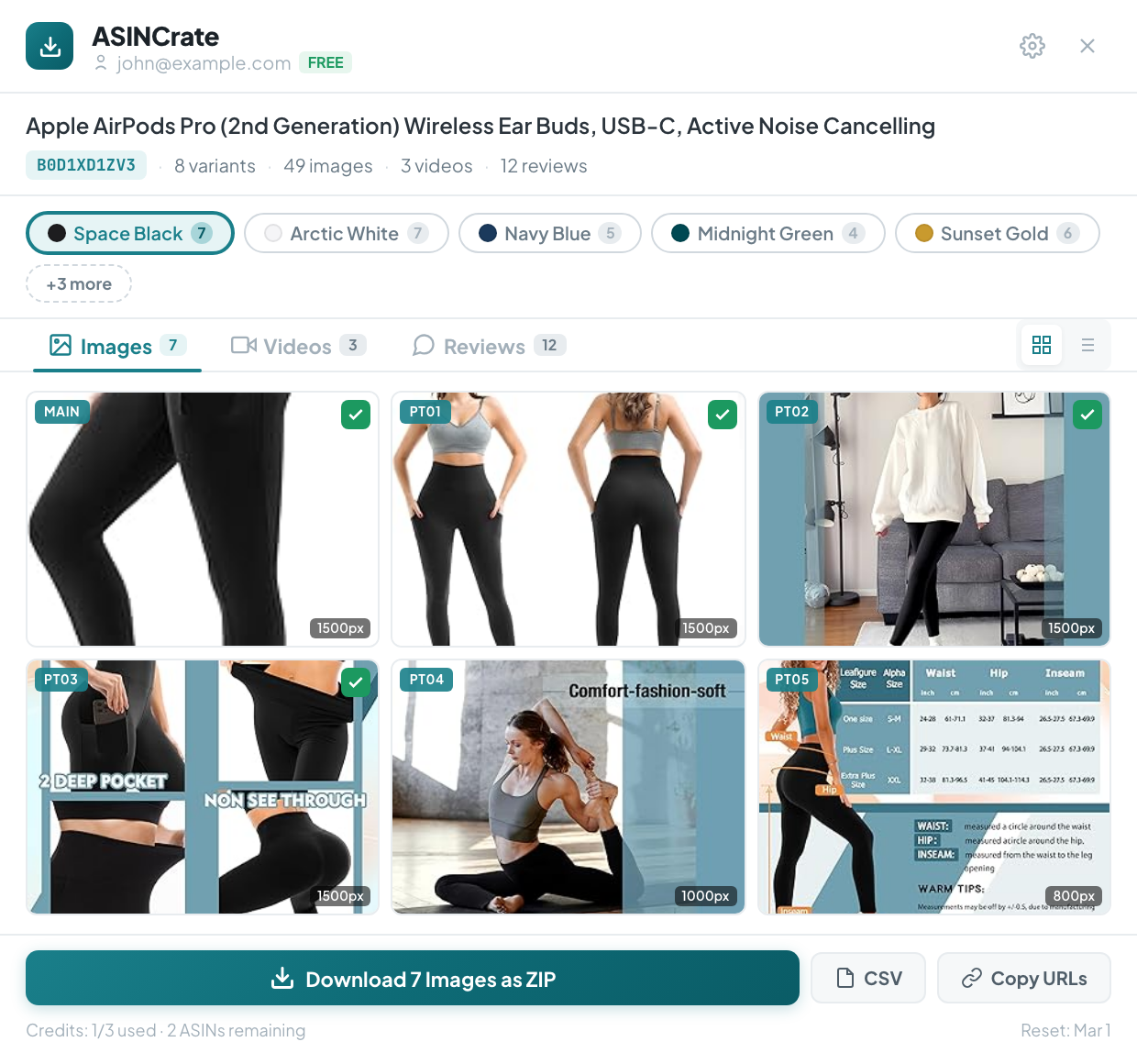
Download Amazon Product Images and Videos in One Click
The fastest Chrome extension for amazon image download and amazon video download. Bulk ZIP export with smart folders, CSV metadata, and hi-res originals from any listing.
No sign-up required for single downloads. Works on 15+ Amazon marketplaces worldwide.
amazon.com/dp/B0EXAMPLE
15+ Amazon Marketplaces
100% Local Processing
Minimal Permissions
Free Single Downloads
Features
Everything You Need to Download Amazon Images and Videos
Professional amazon image download and amazon video download tools — bulk ZIP, hi-res originals, CSV export — all from one sidebar.
Bulk Amazon Image Download as ZIP
Download all Amazon product images in a single ZIP file. Smart folder structure organized by variant name and image type — the fastest way to complete your amazon image download.
Hi-Res Amazon Product Images
Automatically fetch the highest resolution available — 1500–2000px originals, not compressed thumbnails. Every amazon image download delivers the full-size source file.
Amazon Video Download (HLS/m3u8)
Capture full HLS video streams from Amazon product pages. Your amazon video download is automatically converted from m3u8 to high-quality MP4 up to 1080p — no extra tools needed.
Smart File Naming for Downloaded Assets
Files auto-named with ASIN, variant, and image type. No more "image (42).jpg" cluttering your downloads after each amazon image download.
CSV Metadata Export
Export image URLs, dimensions, and metadata to CSV. Perfect for spreadsheets, databases, or bulk processing after your amazon image download.
Batch Image URL Copy
Copy all Amazon product image URLs to clipboard with one click. Supports hi-res URLs for direct use in listings or tools.
Quick Start
How to Download Amazon Images and Videos in 30 Seconds
Three steps to complete your amazon image download and amazon video download. No configuration. No account required for basic use.
1
Install the Extension
Add ASINCrate to Chrome from the Web Store. One click, zero config. Also works on Edge, Brave, and Arc.
2
Browse Any Amazon Marketplace
Navigate to any Amazon product page across 15+ marketplaces. The ASINCrate sidebar appears automatically with all downloadable images and videos.
3
Download Images and Videos
Click to download individual images or grab everything as a structured ZIP. Your amazon image download and amazon video download are done in seconds.
Smart ZIP Export
Organized Amazon Image Downloads, Every Time
Stop renaming files manually. ASINCrate organizes every amazon image download with a clear folder hierarchy that mirrors the product listing structure.
ASIN-based root folders for each product
Sub-folders per variant (color, size, style)
Descriptive filenames: type_position.jpg
Automatic deduplication across variants
B0EXAMPLE.zip/
Black/
MAIN_01.jpg
PT01_02.jpg
PT02_03.jpg
video_01.mp4
White/
MAIN_01.jpg
PT01_02.jpg
metadata.csv
HLS Video Capture
Amazon Video Download — HLS Streams Saved as MP4
Amazon serves product videos as encrypted HLS streams (m3u8 format) — you can't just right-click and save. ASINCrate handles the full amazon video download process automatically: detect, capture, convert, and save.
Captures full HLS manifest and segments
Selects highest available quality (up to 1080p)
Real-time progress bar with sub-segment tracking
Downloads as standard MP4 — plays anywhere
Product Overview Video
1080p · 0:45 · HLS Stream
Downloading segments... 72%32/45 segments
Variant Explorer
Download Every Variant — Browse by Color, Size, and Style
Products with dozens of variants? ASINCrate shows them all as clickable chips. Filter images by variant or complete your amazon image download for all variants at once.
Color-coded variant chips with swatch preview
Per-variant image count at a glance
Smart deduplication saves bandwidth
Click any variant to filter the grid instantly
Black 9
White 7
Navy 8
+4 more
Comparison
Why Choose ASINCrate for Amazon Image and Video Download
See how ASINCrate compares to manual saves and other amazon image download tools.
Feature
Manual Save
Other Extensions
ASINCrate
Bulk image download
×
~
✓
Hi-res originals (1500–2000px)
×
×
✓
Video download (HLS/m3u8 to MP4)
×
×
✓
Smart folder structure
×
×
✓
Variant organization
×
×
✓
CSV metadata export
×
×
✓
Review media
Manual copy
×
✓
Privacy (local processing)
✓
?
✓
Free tier
✓
~
✓
Use Cases
Amazon Image Download and Video Download — Built for Professionals
Whether you sell, research, or create — ASINCrate provides the amazon image download and amazon video download tools that fit your workflow.
🛒
Amazon Sellers
Download competitor product images and videos for listing research. Benchmark photography angles, A+ content layouts, and video styles to optimize your own listings. Amazon image download guide for sellers →
🚚
Dropshippers
Complete your amazon image download for all product variants in one ZIP. Smart naming means no manual file organization — ready for your store listing immediately.
🎨
Designers & Creatives
Download hi-res Amazon product photos and videos for mockups, mood boards, presentations, or creative projects. Every amazon image download is 1500–2000px original quality.
💻
Virtual Assistants
Process multiple product pages quickly. Batch amazon image download with CSV export saves hours of manual screenshot-and-rename work.
Pricing
Simple, Transparent Pricing
Start your amazon image download and amazon video download for free. Upgrade when you need more.
Frequently Asked Questions About Amazon Image and Video Download
Is ASINCrate free for amazon image download and video download?
Yes! Single amazon image downloads are completely free with no account required. Upgrade to Pro for unlimited bulk ZIP downloads, amazon video download, CSV export, and batch URL copying.
How do I download all images from an Amazon product page?
Install ASINCrate, navigate to any Amazon product page, and click "Download ZIP" in the sidebar. All images are automatically organized by variant into a clean ZIP file with smart folder naming. No manual selecting or renaming required.
How does amazon video download work with ASINCrate?
ASINCrate captures full HLS video streams (m3u8 format) from Amazon product pages and converts them to high-quality MP4 files up to 1080p. This amazon video download feature is available with Pro. How to download Amazon product videos →
What Amazon marketplaces are supported?
ASINCrate works on 15+ Amazon marketplaces including US (.com), UK (.co.uk), Germany (.de), France (.fr), Italy (.it), Spain (.es), Japan (.co.jp), Canada (.ca), Australia (.com.au), India (.in), Mexico (.com.mx), Brazil (.com.br), Netherlands (.nl), Sweden (.se), and Poland (.pl).
Is my data safe? What permissions does ASINCrate need?
ASINCrate processes everything locally in your browser. We request minimal permissions — only access to Amazon pages when you visit them. No data is sent to external servers for image or video processing.
What image quality does ASINCrate download?
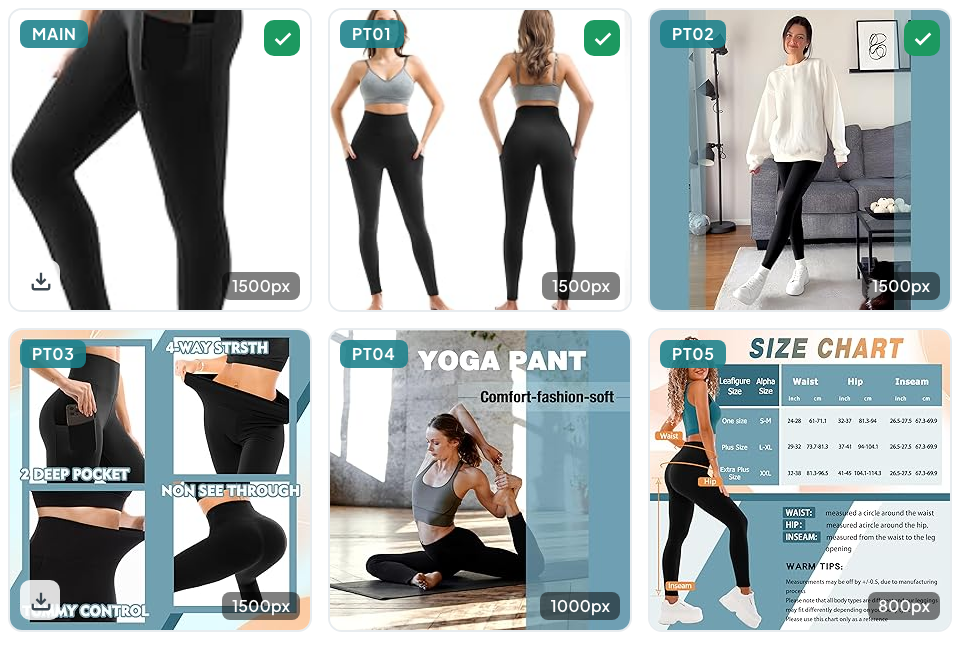
ASINCrate automatically fetches the highest resolution available from Amazon — typically 1500-2000px originals, not the compressed thumbnails you see on the page. Image type badges (MAIN, PT01, etc.) help you identify each image's role.
How does Pro unlock products?
Pro gives unlimited access at the product (ASIN) level. For every product you open, you get full access to all variants and all media types — no limits or credits to track.
Can I cancel my Pro subscription anytime?
Yes, you can cancel anytime from your account settings. You'll retain Pro access until the end of your current billing period. No cancellation fees, no hidden charges.
Does ASINCrate work with Amazon review images and videos?
Yes. ASINCrate detects and downloads customer review images and videos in addition to official product listing media. All review media is clearly labeled and organized in a separate tab for easy access.
What file formats does the ZIP download include?
ZIP downloads include JPEG images at their original resolution and MP4 video files. The ZIP is organized with smart folder naming: ASIN/variant-name/image-type_position.jpg for easy file management.
What makes ASINCrate different from other amazon image download tools?
Unlike most extensions that only grab main images, ASINCrate downloads all variant images, A+ content graphics, review media, and HLS product videos. It also organizes every amazon image download into smart folders with ASIN-based naming and exports metadata to CSV — features not found in competing tools.
Resources
Guides for Amazon Image and Video Download
In-depth tutorials to help you get the most out of your amazon image download and amazon video download workflow.