Amazon Video Downloader Online Paste a Link, Get the MP4
Paste an Amazon product URL or ASIN. You get every video on the listing — brand videos, customer videos and review videos — as MP4, plus every hi-res image, right in your browser.
Images: free, no account. Videos & ZIP: free account, 3 credits / month.No link handy? Try an example →
Out of credits but don't want a subscription? A Credit Pack is $4.99 for 30 credits that never expire. Buy credits →
This tool downloads videos from Amazon product pages. It does not download Prime Video movies or TV shows.
A real example: what one Amazon link gets you
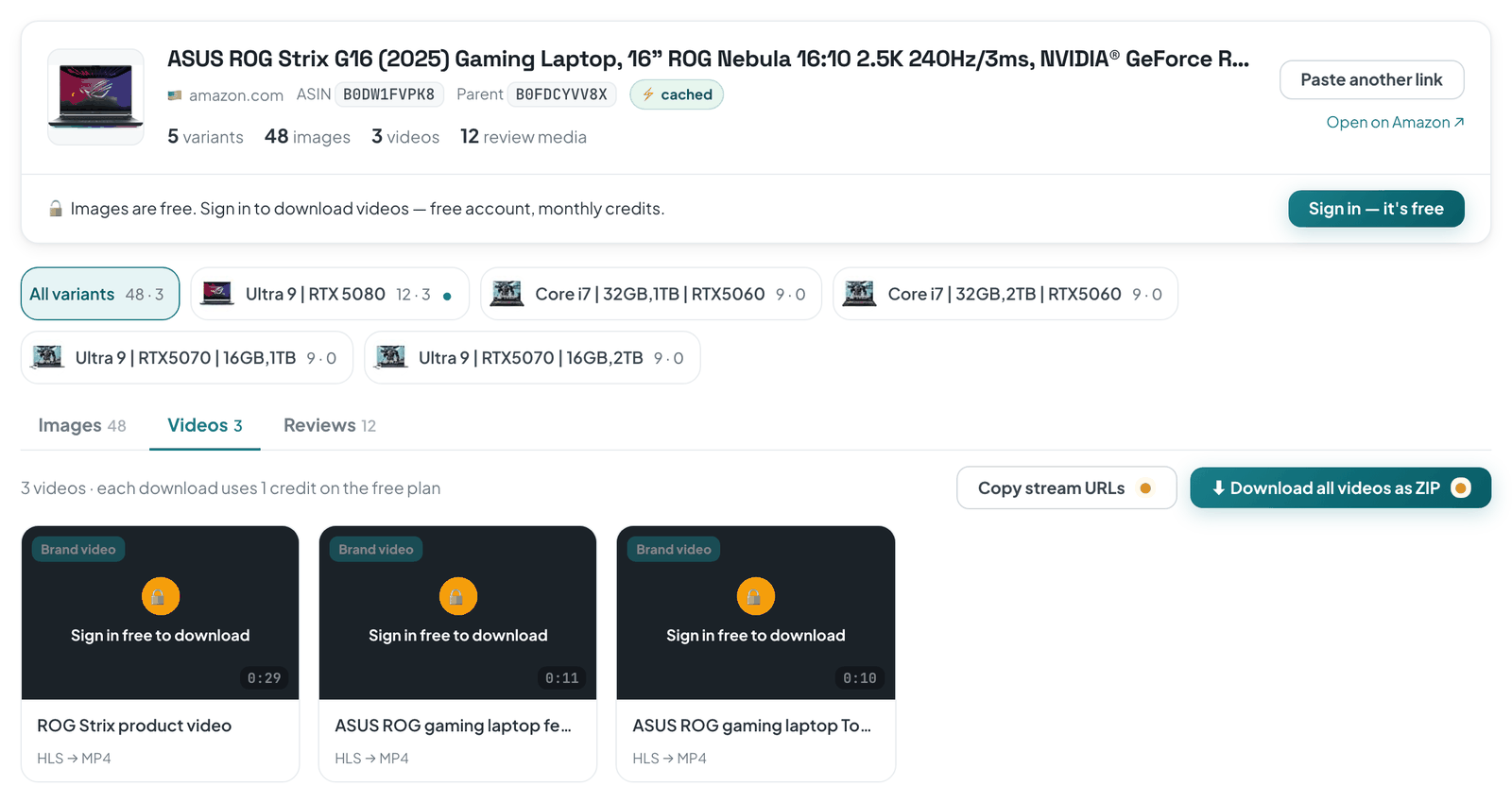
A real lookup of our example product, before signing in: variants, images, videos and review media counted, every video with its length and a download button.
3
kinds of video
Videos the brand put on the listing, videos from customers and influencers, and videos attached to reviews — each saved as its own MP4.
15
Amazon marketplaces
US, UK, Canada, Germany, France, Italy, Spain, Netherlands, Turkey, Japan, India, Singapore, Australia, Mexico and Brazil.
1
credit for a whole ZIP
Every video on the listing, or every image of every variant, in one ZIP for a single credit — however many files are inside.
What other online Amazon video downloaders get wrong
Amazon doesn't store product videos as one file. The player streams them in short pieces, which is why “Save video as” is greyed out and why many paste-a-link sites return nothing.
A real MP4, assembled in your browser
The tool picks the highest-quality stream Amazon offers for that video, downloads every piece and joins them into one MP4 on your computer. No watermark, no re-encoding.
Every variant in one lookup
Colors and sizes often carry their own images and videos. One lookup fetches them all and groups them by variant, so you don't click through each option on Amazon.
Tells you when Amazon says no
If a listing was removed or Amazon turns a lookup away, you see which one it was and what to try next — not an endless spinner or a download link that leads nowhere.
How to download an Amazon product video online
1
Copy the product link
Open the product on Amazon and copy the address from the browser bar. A 10-character ASIN works too — it is looked up on amazon.com.
2
Paste it and press Get media
Paste the link into the box at the top of this page. In a few seconds you see the listing's images, videos and review media.
3
Save the MP4
Open the Videos tab and click download on any video, or grab them all as one ZIP. Images save one by one for free, no account needed.
Questions about downloading Amazon videos online
Is this Amazon video downloader really free?
Looking up a product and saving its images is free, with no account. Downloading a video, or a whole listing as a ZIP or CSV, uses one credit, and a free account gets 3 credits every month. If you need more, Pro is unlimited for $9.99 a month or $49.99 a year, and a Credit Pack gives you 30 credits for $4.99 that never expire.
Do I need to install an extension or app?
No. Everything happens on this page: the video is fetched, joined into an MP4 in your browser and saved like any other download. The ASINCrate Chrome extension is optional — it adds a download button right on Amazon product pages and uses the same account and credits.
Which Amazon videos can I download?
Videos on Amazon product pages: the ones the brand added to the listing, videos from customers and influencers shown on the listing, and videos attached to customer reviews. Prime Video movies and TV shows are not supported.
What format and quality do I get?
MP4. The tool picks the highest-quality stream Amazon serves for that video, so the resolution matches what was uploaded, and it is not re-encoded. In the rare case a stream can't be converted, you get the original .ts file instead.
Which Amazon marketplaces does it work with?
amazon.com, .co.uk, .ca, .de, .fr, .it, .es, .nl, .com.tr, .co.jp, .in, .sg, .com.au, .com.mx and .com.br. Paste the link exactly as it appears in your address bar; a bare ASIN is looked up on amazon.com.
Why didn't my link work?
Usually one of three things: the product was removed or the ASIN is mistyped; the link isn't a product page (search results and storefronts have no single product to look up); or Amazon turned our lookup away. The tool tells you which one it was. If Amazon keeps blocking a product, the Chrome extension reads the page you already have open, so it isn't affected.
Is it legal to download videos from Amazon product pages?
Saving a video to study a listing — a competitor's or your own — is how most people use this. The rights stay with whoever made the video: re-uploading someone else's video to your own listing or social channels needs their permission.
Got an Amazon link? Get the MP4.
Images are free without an account. Videos and ZIP downloads use credits — a free account gets 3 every month.